Tie Point Lists
Tie points are normally open switches between adjacent HV feeders or LV circuits in the network, from which alternative feeding arrangements can be achieved by closing the switch. Because tie points lie between two feeders or circuits, they will be in two equipment containers (in IEC CIM speak) or, to use more common terminology, they will be in the two feeders or circuits that the tie point connects.
Tie point lists are displayed in a panel on the bottom of the screen, in the same location as the customer list, when triggered by a user action from within the trace tab on the right hand panel. Only one tie point list or one customer list can be opened in the same browser tab at the same time.
Tie Point List panel
Tie point lists are created by first selecting the area of the network for which the list is to be generated by either a Downstream, Feeder or Isolated Points trace, and then pressing the customer list icon on the trace header panel. This will cause the tie point list to be displayed in a resizable panel on the bottom half of the screen, as illustrated in the screen shot below.
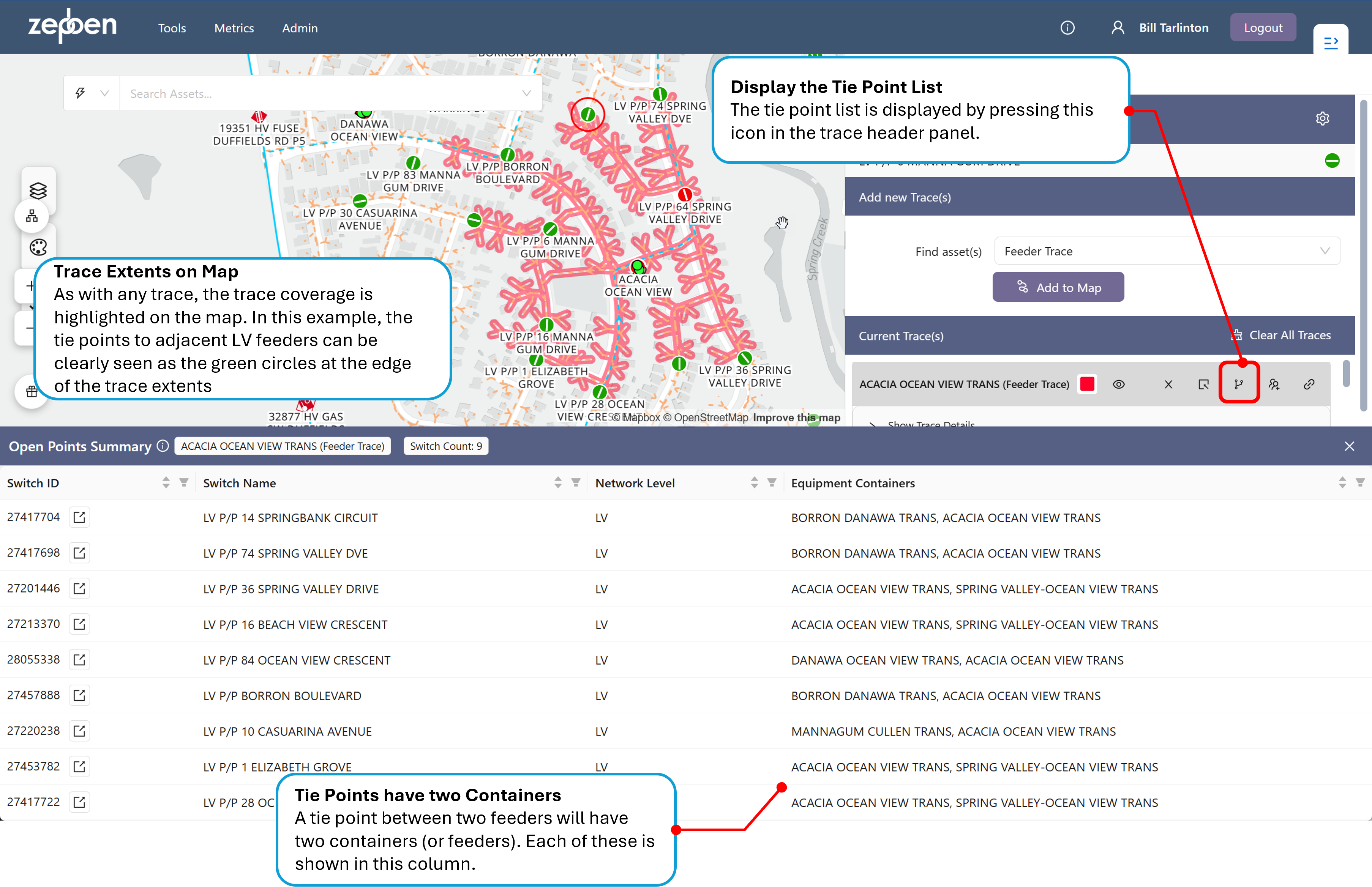
In this example, the tie points for an LV circuit are shown - there are no tie points included from the HV network, as the trace used only traced the LV circuit.
In the screen shot below, a trace has been performed on a HV feeder, and the tie points for both the HV and LV network have been included in the tie point list.
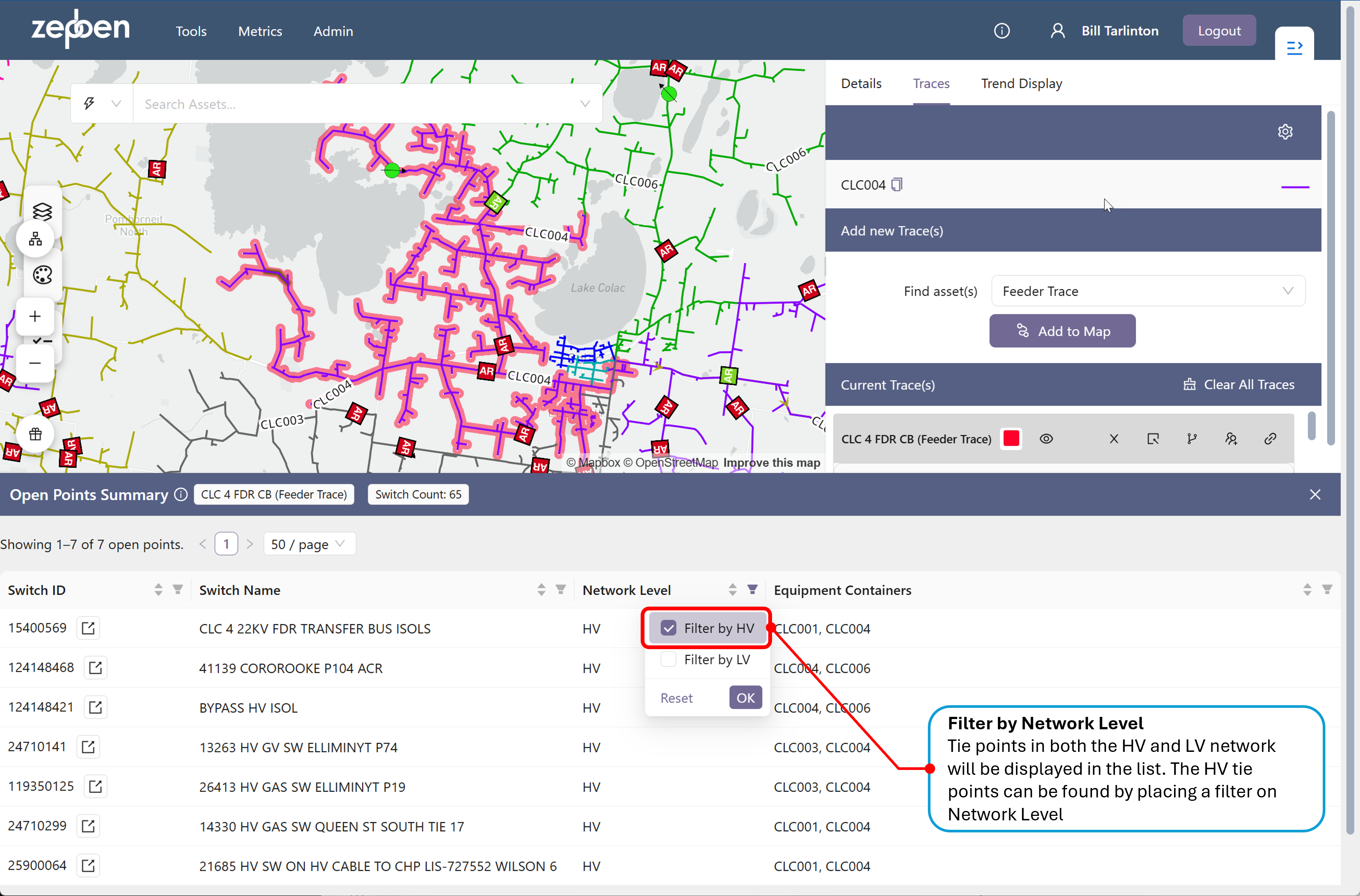
When looking for HV tie points only, a filter is available in the Network Level column that allows the list to be filtered by either the LV or HV network levels, as illustrated in the screen shot below. Tie points are not available at the EHV level, as this network is typically operated as a meshed network. Tie point lists can only be generated for radial distribution network, where normally open points act as tie points between adjacent radially fed network.