Studies
A study is a geographic visualisation of data displayed as an overlay on the map within Network Explorer. Studies are created using the Python SDK to create GeoJSON features, which are then uploaded for display in the Network Explorer client via functions in the SDK. Naturally, this involves writing Python code to read and manipulate data to create the geoJSON visualisation.
Documentation on how to setup and use the Python SDK can be found here
The data used to create the study can come from any source, including the Energy Workbench itself. Examples of use cases for a study are:
- Displaying the results of a load flow simulation on the map
- Showing information about the network, such as length of lines, counts of objects, etc.
- Showing a heat map of solar penetration
- Showing the results of AMI analytics
Each study can contain multiple results: different collections of geoJSON that the user may switch between. For example, the first collection in the study may display per-unit voltage data from a load flow solution, while the second collection can provide a heatmap of the energy consumer density.
A tutorial on how to create and upload studies can be found in the python SDK examples documentation.
Opening the Study
Once a study has been created, it can be opened from the Network Explorer client.
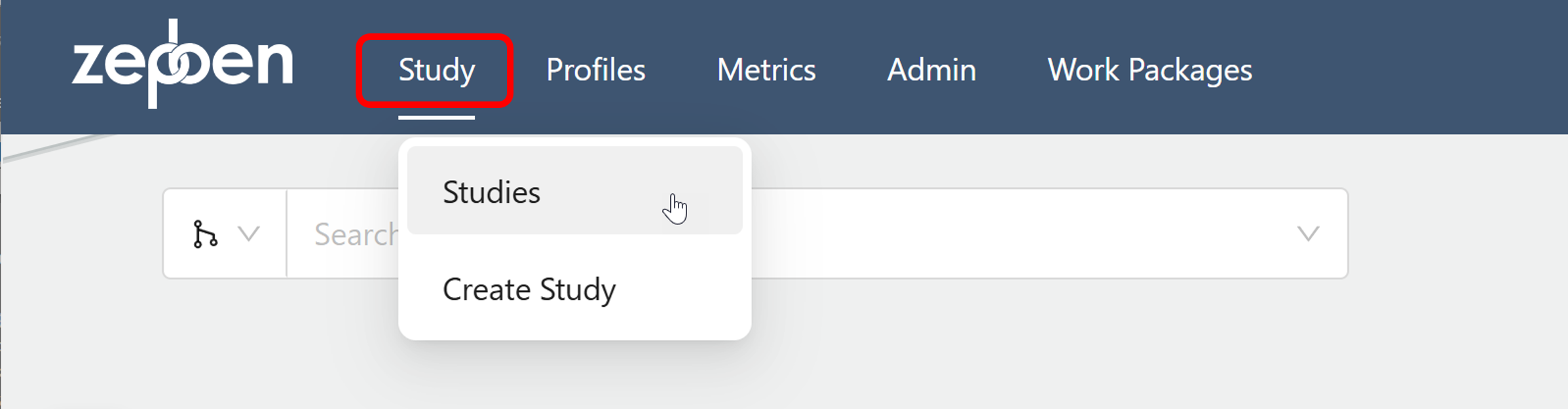
Clicking the "Studies" item will open a dialog box, as illustrated in the screen shot below. This shows all studies that have been created. Filters are provided on both the "Tags" and "Created By" columns to allow particular studies to be located.
The "Tags" column, in particular, can contain multiple text entries, and is intended to be used to organise the studies sensibly.
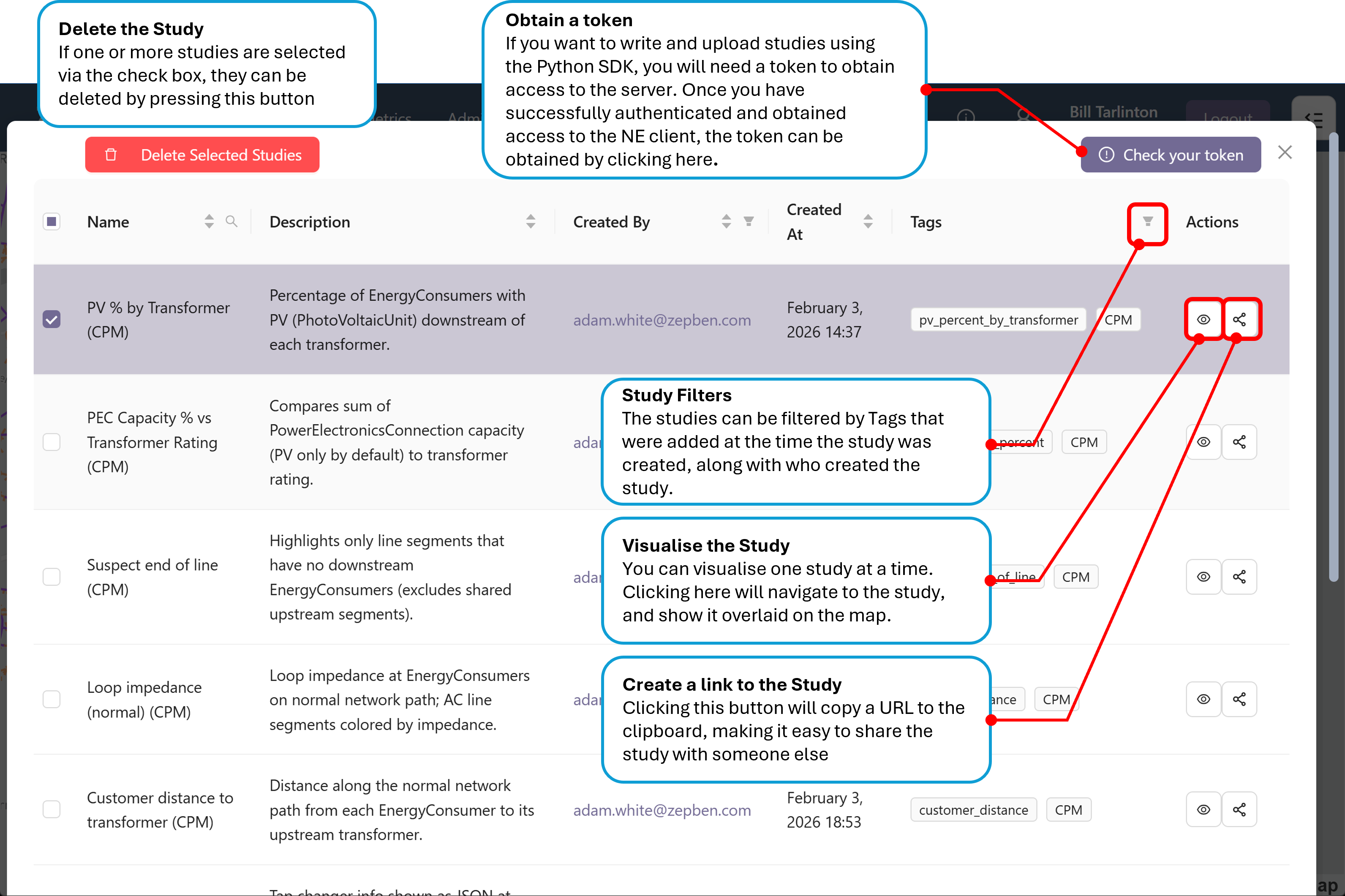
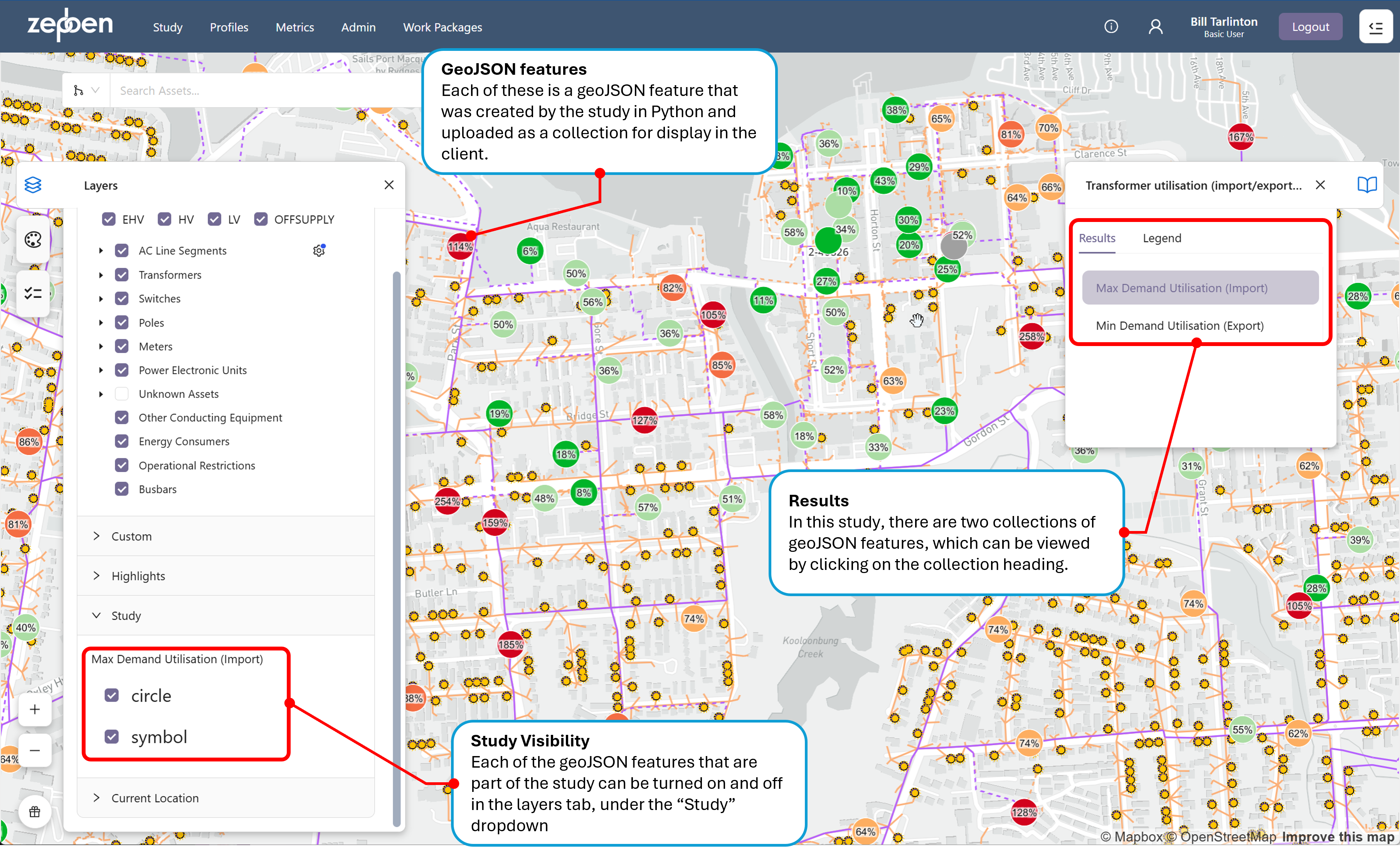
Clicking the view icon will display the study on the map, auto-zooming to the area of the network where the study has been overlaid. An example study is provided in the screen shot below.
In this study, an external data source that holds transformer utilisation has been combined with the spatial location of each transformer obtained from the Energy Workbench to create two geoJSON feature collections per transformer - one containing circles that have been colour coded to reflect the amount of transformer utilisation, and the other numbers showing the actual percentage utilisation.
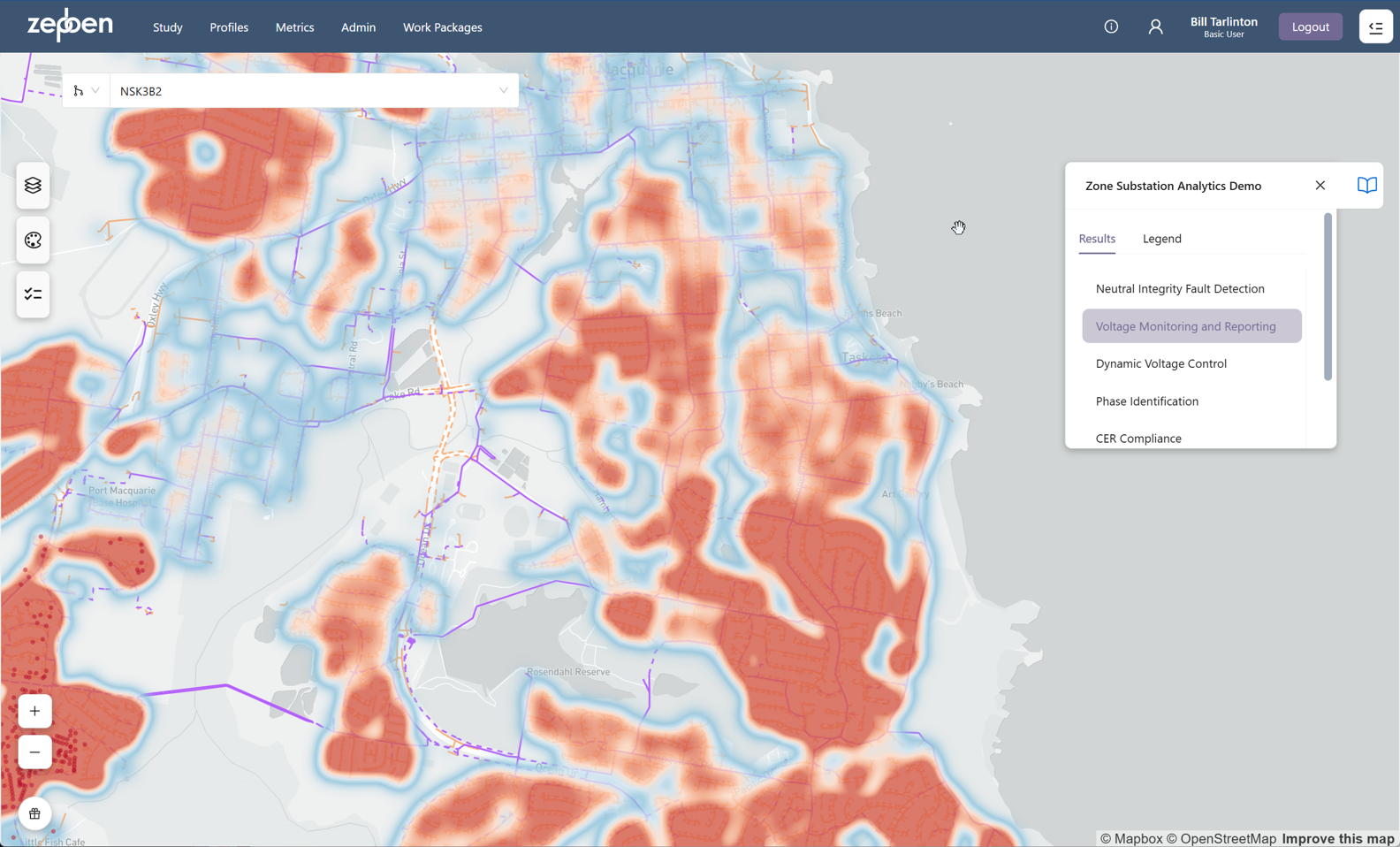
The screen shot below shows another example study, which has obtained data from an external AMI analytics system for voltage monitoring, CER compliance and other metrics, and generated various geoJSON collections to show the outcomes on a map. In the "Voltage Monitoring and Reporting" collection, a heat map has been used to show areas of the network that are at the higher and lower ends of the allowed voltage range.
Limitations
The studies feature can render approximately 10,000 individual geoJSON features before the performance of the Network Explorer client begins to degrade. This will vary depending on the browser being used, and the CPU and the memory of the device running the application.